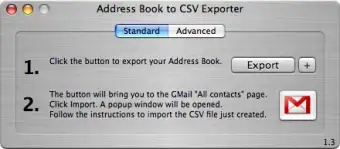
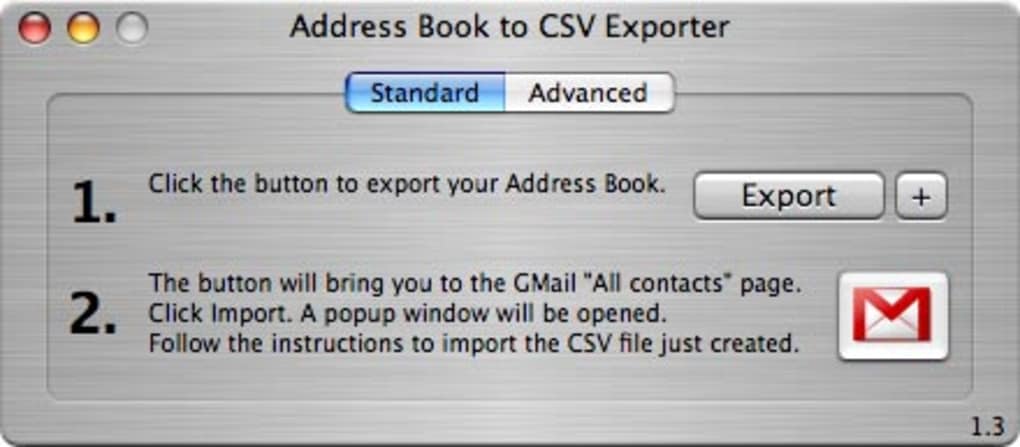
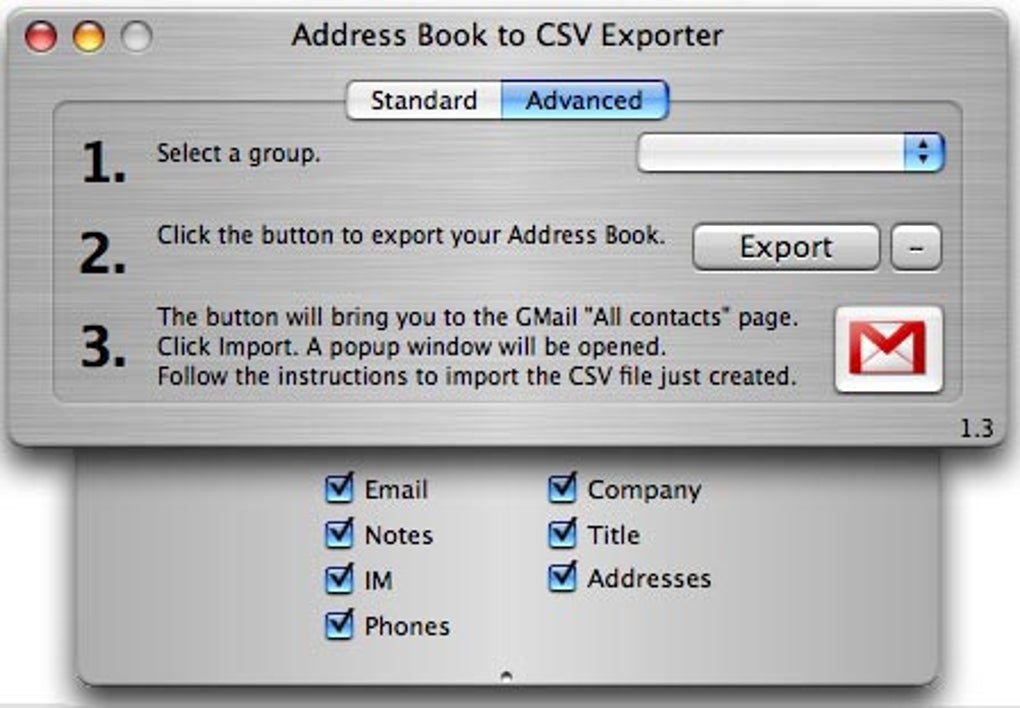

Download Address Book to CSV Exporter – free Mac contact export tool
Overview – What Is Address Book to CSV Exporter?
Address Book to CSV Exporter is a lightweight, free Mac utility designed to turn the contacts stored in Apple’s native Address Book (now called Contacts) into a universally readable CSV (Comma‑Separated Values) file. First introduced to the productivity‑software catalog in 2007, this tool has amassed more than 50,000 downloads worldwide, with a steady flow of new users from the United States, Italy, and the United Kingdom each week. The current version, 1.3a, was last updated on June 13 2007, and it runs on macOS X as well as earlier Mac OS releases.
By converting your address book into CSV, you gain the ability to import contacts into almost any other application—whether it’s a CRM system, an email marketing platform, a spreadsheet, or a non‑Apple device. The software is completely free, requires minimal storage space, and offers a simple, secure way to back up or migrate your contact data without the need for an internet connection or a subscription. Because it works locally on your Mac, you retain full control over privacy, making it an excellent choice for individuals and small businesses that need a reliable export solution without exposing sensitive information to the cloud.
Key Features, Compatibility and System Requirements
- One‑Click Export: Export the entire address book or selected groups with a single click.
- Customizable Field Mapping: Choose which contact fields (name, email, phone, address, notes, etc.) appear in the CSV file.
- Unicode Support: Handles international characters, ensuring contacts from Italy, the UK, and other locales retain correct spelling.
- Preserves Group Structure: Export groups as separate columns or include a “Group” column for easy filtering.
- Lightweight Installer: The installer is under 5 MB, leaving ample disk space for other productivity tools.
- No Internet Required: All processing occurs locally, guaranteeing privacy and speed.
- Free Forever: No hidden fees, trial periods, or upgrade prompts.
The application is built specifically for macOS X and earlier Mac OS versions. It runs smoothly on machines as old as Mac OS 10.3 (Panther) and is fully compatible with modern Intel‑based and Apple‑silicon Macs running macOS 10.6 (Snow Leopard) or later, provided the user enables the legacy “Allow apps downloaded from anywhere” security setting when needed. Because the program is native to macOS, there are no Windows, Android, or iOS versions, which keeps the codebase lean and focused on delivering the best possible experience for Mac users. Minimum system requirements include a 1 GHz processor, 256 MB of RAM, and at least 10 MB of free storage for the exported CSV files. No additional libraries or frameworks are required, making the installation process straightforward even for users who are not technically inclined.
Step‑by‑Step Installation and How to Export Your Contacts
Installing Address Book to CSV Exporter is intentionally simple. Follow these steps to get the tool up and running in under five minutes:
- Download the Installer: Click the “Download” button on the product page. The file is a compressed
.dmgimage namedAddressBookToCSV.dmg. - Mount the Disk Image: Double‑click the
.dmgfile. macOS will mount it as a virtual drive on your desktop. - Copy to Applications: Drag the
Address Book to CSV Exporter.appicon into your/Applicationsfolder. You may be prompted for an administrator password. - Adjust Security Settings (if needed): On newer macOS versions, you might see a warning that the app is from an unidentified developer. Open System Preferences → Security & Privacy → General**, click “Open Anyway,” and confirm.
- Launch the App: Double‑click the app icon. The main window displays a list of all contacts and groups currently stored in the macOS Contacts app.
Exporting contacts is equally straightforward:
- Select Contacts or Groups: Use the checkboxes to pick individual entries or entire groups. You can also click “Select All” to export everything.
- Choose Export Options: Click the “Options” button to open a dialog where you can toggle which fields appear in the CSV, set a custom delimiter (comma, semicolon, or tab), and decide whether to include the “Group” column.
- Specify Destination: Press “Export,” then choose a folder and filename for the CSV file. The app suggests
Contacts_YYYYMMDD.csvas a default naming convention. - Review the File: Once the export finishes, open the CSV in Excel, Numbers, or any text editor to verify that all data appears correctly. The file can now be imported into other platforms, shared with colleagues, or archived for backup purposes.
Because the tool works offline, the export process is fast—typically under a second for a few hundred contacts and only a few seconds for several thousand. If you encounter any errors, the built‑in log window provides clear messages, and the developer’s support forum (linked from the “Help” menu) offers quick troubleshooting tips.
Pros, Cons, Frequently Asked Questions and Final Verdict
Pros
- Completely free with no hidden costs.
- Runs locally, ensuring privacy and security of contact data.
- One‑click export with flexible field selection.
- Supports international characters and multiple groups.
- Very small download size and low system footprint.
Cons
- Interface looks dated compared to modern macOS apps.
- No built‑in scheduler for automated, recurring exports.
- Lacks direct integration with cloud services (e.g., Google Contacts).
- Last official update was in 2007, so future macOS compatibility is not guaranteed.
Frequently Asked Questions
Can I export contacts from multiple address books at once?
Address Book to CSV Exporter works only with the native macOS Contacts database. If you have contacts stored in third‑party apps, you’ll need to import them into the macOS Contacts app first, then run the export.
Is the exported CSV compatible with Microsoft Excel?
Yes. The CSV file follows the standard comma‑delimited format that Excel, Numbers, Google Sheets, and most database tools can open without issues.
Do I need an internet connection to use the tool?
No. All operations are performed locally on your Mac, so you can export contacts even on an offline machine.
Can I customize the delimiter used in the CSV file?
Yes. In the Options dialog you can switch between a comma, semicolon, or tab delimiter, which is useful for regions where the comma is used as a decimal separator.
Is there any risk of data loss during export?
The export process is read‑only; it never modifies the original Contacts database. The only risk would be an unexpected power loss while writing the CSV file, which could result in a partially written file—but the original contacts remain untouched.
Final Verdict
For Mac users who need a simple, free way to back up or migrate their address book, Address Book to CSV Exporter delivers exactly what it promises. Its one‑click export, customizable field mapping, and offline operation make it an ideal tool for privacy‑focused individuals and small businesses. While the user interface feels a bit nostalgic and the lack of automatic updates may concern power users, the core functionality remains solid and reliable. If you’re looking to move contacts into a spreadsheet, a CRM, or any non‑Apple platform, this utility is a practical, cost‑free solution that won’t eat up your storage. Download it today, run a quick export, and enjoy the peace of mind that comes with having a portable, editable copy of every contact in your Mac’s address book.







